A laptop left in a Tampa coffee shop, a phone misplaced during a sales visit, or a former employee’s device that was never returned can quickly become a business security incident. What is endpoint encryption? It is a security control that converts the data stored on a device into unreadable code unless the authorized user or system provides the correct credentials or encryption key.
For a small or midsize business, endpoint encryption is not just an IT setting. It is a practical safeguard for client records, employee information, financial files, email, saved passwords, and the documents employees use every day. It helps ensure that a lost device does not automatically become a data breach.
What Is Endpoint Encryption?
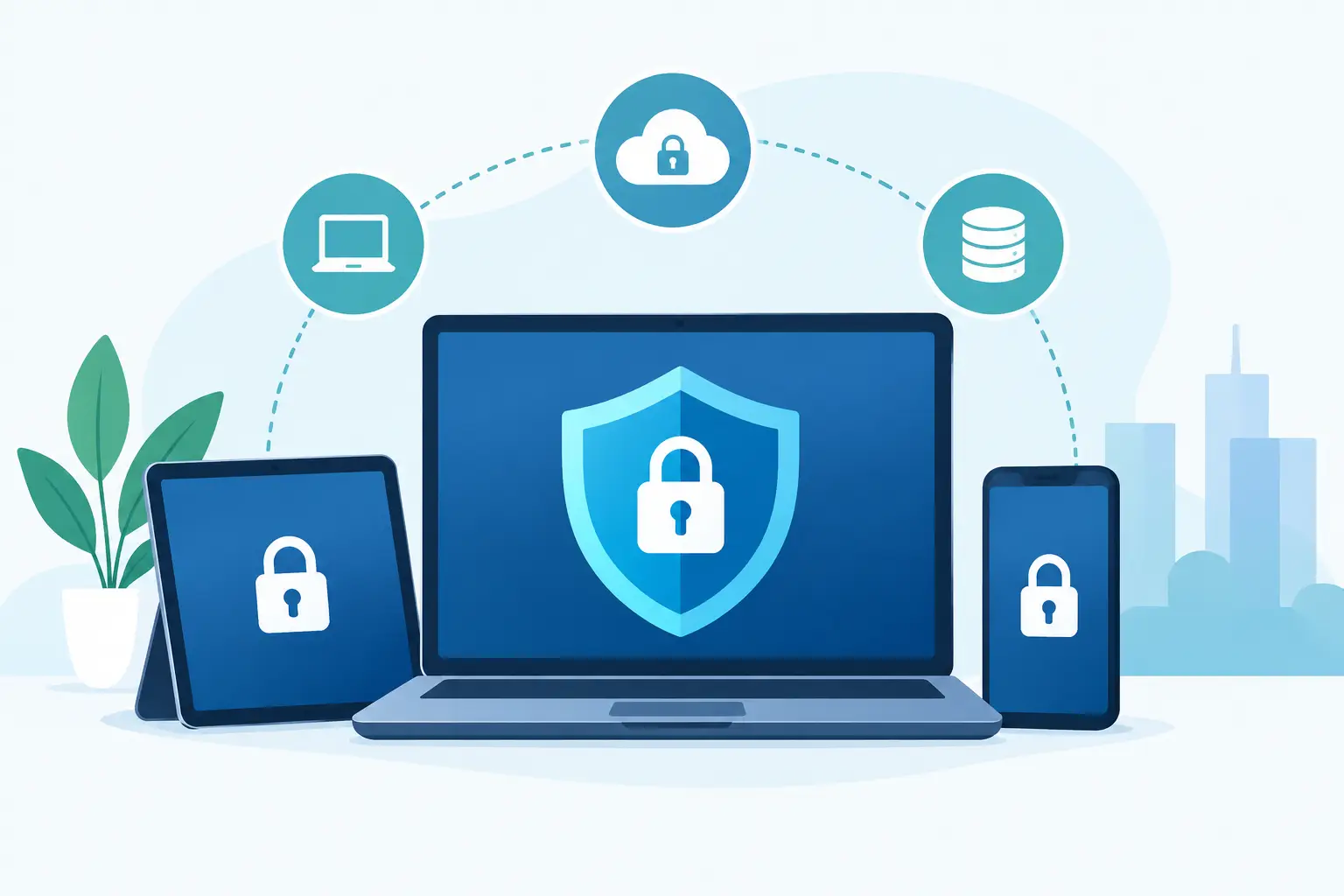
An endpoint is any device that connects to your business systems or handles company information. Most organizations think first of desktop computers and laptops, but endpoints can also include smartphones, tablets, servers, shared workstations, and portable storage devices.
Endpoint encryption protects the information stored on those devices, often called data at rest. When encryption is enabled, the device encrypts its files using a mathematical process. Someone who removes the hard drive, boots the device without authorization, or accesses its storage through another system will see scrambled information rather than readable files.
Authorized employees generally do not notice encryption during normal work. They sign in with their approved password, PIN, biometric login, or multifactor authentication, and the operating system decrypts the information needed for their session. The protection becomes especially valuable when the device is outside your office, out of an employee’s control, or targeted by an attacker.
Why Endpoint Encryption Matters to Businesses
Business data is no longer contained within a single office network. Employees work from home, travel between client sites, access cloud platforms from personal networks, and carry sensitive information on devices every day. That flexibility supports productivity, but it also increases the number of places where data can be exposed.
A lost laptop may contain more than saved documents. It can include browser sessions, downloaded reports, local copies of email attachments, accounting exports, HR files, and credentials that help an attacker reach other systems. Encryption limits the value of that physical device to anyone who should not have access to it.
This is particularly important for organizations that handle regulated or confidential data. Healthcare providers, law firms, financial organizations, contractors, and professional service firms may have contractual or legal obligations to protect client information. Encryption does not eliminate every reporting or compliance responsibility after a device is lost, but it can materially reduce the risk and demonstrate that reasonable safeguards were in place.
Encryption also helps protect business continuity. If a device is stolen, the priority should be replacing the equipment and restoring the employee’s access, not wondering whether every file on the machine has been exposed. Combined with automated backups, device management, and a clear incident response process, encryption gives your team a more controlled path forward.
How Endpoint Encryption Works in Practice
The most common approach is full-disk encryption. This encrypts nearly everything stored on a computer’s internal drive, including the operating system, applications, user profiles, temporary files, and documents. Modern Windows and Apple devices often include built-in full-disk encryption capabilities, though they must be configured correctly and managed consistently.
File-level encryption is more selective. It protects certain folders or files rather than the entire drive. This can be useful for specific high-risk records or shared storage, but it may leave other sensitive information unprotected. In many business environments, full-disk encryption provides a stronger baseline because employees can save information in unexpected places.
Encryption depends on keys. Think of an encryption key as the authorized method for turning protected data back into readable information. Key management is where many organizations run into trouble. If recovery keys are stored only on one employee’s device or in an undocumented spreadsheet, the business could be locked out when that employee leaves or a computer fails.
A managed encryption program keeps recovery keys available to the appropriate administrators, verifies that devices are actually encrypted, and records which systems are protected. This is not a one-time setup task. New devices, replacement computers, and employee-owned devices used for work all require clear policies and oversight.
Encryption Is Essential, but It Is Not the Whole Security Plan
Endpoint encryption protects data when someone gains physical access to a device or its storage. It does not stop an employee from entering credentials into a fake login page. It does not prevent a ransomware infection from encrypting files while the user is signed in. It also cannot correct weak access controls, unpatched software, or unsecured Wi-Fi.
That distinction matters because encryption is sometimes treated as a complete cybersecurity strategy. It is one layer of protection, not the entire system. A dependable endpoint security approach also includes:
- Strong passwords and multifactor authentication to reduce unauthorized sign-ins
- Regular operating system and application updates to close known vulnerabilities
- Managed antivirus or endpoint detection tools to identify suspicious activity
- Automated backups that are tested and protected from ransomware
- Clear onboarding and offboarding procedures that control who has access
- Remote device management that can locate, lock, or wipe a lost business device
These measures work together. Encryption protects the stored data; identity controls protect the login process; monitoring helps identify threats; and backups help restore operations after an incident.
Common Questions Business Leaders Should Ask
Are all company laptops encrypted?
Do not rely on assumptions or individual employee confirmation. Your IT team should be able to provide an inventory showing which devices are encrypted, which have exceptions, and whether recovery keys are properly stored. A device that supports encryption is not necessarily a device that has encryption enabled.
What happens if an employee forgets a password or leaves the company?
The business should retain secure access to encryption recovery keys without sharing them broadly. During offboarding, the device should be returned, access should be removed, and the computer should be wiped or reassigned according to policy. If the device cannot be recovered, remote lock or wipe capabilities may be needed.
Does encryption slow down computers?
On current business-class hardware, full-disk encryption usually has little noticeable effect on normal work. Older devices, heavily used systems, or equipment with failing drives may experience more impact. This is one reason encryption planning should consider hardware lifecycle management rather than treating every device the same.
Should personal devices be encrypted too?
It depends on whether they access business email, files, customer information, or internal applications. Bring-your-own-device arrangements can reduce hardware costs, but they create more complicated privacy, support, and control questions. Many businesses choose to require encryption, screen locks, and mobile device management for personal devices used for company work. Others provide managed business devices to keep personal and business data separate.
Building an Encryption Policy That Employees Can Follow
The best encryption policy is practical enough to support daily work and specific enough to be enforced. It should define which devices must be encrypted, who can approve exceptions, how recovery keys are stored, what happens when a device is lost, and how personal devices are handled.
Employees also need plain-language guidance. They should know to report a missing laptop or phone immediately, avoid sharing login credentials, and contact support if they see an unexpected recovery-key prompt. Delayed reporting can turn a manageable issue into a larger investigation.
For many businesses, the challenge is not choosing an encryption feature. It is maintaining a consistent process across new hires, remote workers, aging devices, software changes, and employee departures. A technology partner can help monitor encryption status, coordinate device setup, protect recovery information, and respond quickly when a device goes missing.
A protected endpoint gives your business room to respond calmly when something goes wrong. The goal is not to make work harder for employees. It is to make sure one missing device does not interrupt customer trust, daily operations, or the progress your team has worked hard to build.